Showing posts with label email. Show all posts

Thursday, July 22, 2021

Google Ads: Creating a Hash from an email address in SFMC

Google Ads allows you to upload email addresses into Google Ads and then target (or suppress) ads to people who own those email addresses.  

If you want to protect your PII, you may be required to upload the email addresses as an SHA-256 hash.  Google Ads will allow you to upload in plain text, but if you don't like having that kind of data lying around on your end, you'll want to hash them.  (If you don't, Google will immediately hash them as soon as they're uploaded.)

If you're using Salesforce Marketing Cloud (ExactTarget), the query to do the hashing is a little different than if you were to do the hashing outside of Marketing Cloud.  

Anywhere else:

lower(CONVERT(VARCHAR(100),
HASHBYTES('SHA2_256',
@EmailAddress),2)) as HashEmail

In SFMC:
lower(CONVERT(VARCHAR(100),
HASHBYTES('SHA2_256',
CONVERT(VARCHAR(100),@EmailAddress,0)),2)) as HashEmail
A second convert step is needed in the process or it starts with the wrong data for hashing and ends up with a hash that doesn't match anything. Took a lot of trial-and-error and research to get to this, so hopefully it's useful.


Tuesday, July 06, 2021

AMPscript: Quickly Calculate Integers in SFMC / ExactTarget

There's no integer function in SFMC, but you can get there quickly with mod and subtract.

As a reminder:

mod(a,b) = remainder of a divided by b

subtract(c,d) = c minus d

So....

mod(5.5,1) 
= remainder of 5.5 divided by 1
= remainder of 5.5
= 0.5

subtract(5.5,mod(5.5,1))
= 5.5 minus remainder of 5.5 divided by 1
= 5.5 minus remainder of 5.5
= 5.5 minus 0.5
= 5

So....

if your non-integer number is @numOriginal, your calculation 

set @numInteger = subtract(@numOriginal,mod(@numOriginal,1))

That's one fun secret... here's another: there are far more Email Marketing Jobs than there are people like us to do the work. Your next job may be waiting at emailmktgjobs.blogspot.com.

Saturday, January 16, 2021

View-Time Optimization (VTO) is a bad idea

 I recently saw a post on LinkedIn suggesting "Send-Time Optimization is Dead, Long Live View-Time Optimization" but they're wrong.  VTO is a bad idea.

First, what is Send-Time Optimization (STO)?  

In your toolbox of "right message, right person, right time" STO is the best-guess about when you send your next email. 

For a long-standing subscriber, you can use it at the individual-level.  For segments and audiences with a number of newer subscribers, you can do it at the campaign level. And for prospects and brand-new customers (or if you have a lot of churn in your subscription base), you can do it at the program or organizational level.

Some drawbacks - it impacts forecasting and planning. You have to establish a window for deployment, so you have to carefully consider when to send the next email after that. It's also not useful with time-sensitive opportunities and limited-time sales. 

Also, behavior patterns change over time. If your analytical model is slow to catch a shift in trends or if there are events or competitive changes it has no way to be aware of or consider, it can end up being wrong in its predictions.

Still,  it has been proven to increase opens and clicks and decrease opt-outs (to a statistically significant degree), which makes it a win-win for customers and companies alike. Programmatic Automations, Journeys and Metered/Deferred Deployments are other methods with similar aims.

So, what is View-Time Optimization (VTO)?

In mid-2020, SendGrid announced an exclusive offering with VMG in a blog post and only really recommended it for Winback and Re-engagement Campaigns.  

This has apparently ended as now Validity is announcing an exclusive offering with with Verizon Media Group for VTO. There aren't a lot of details, but here's what I've been able to figure out.

Validity says the top email in a person's inbox is 2x as likely to be opened as even the second email. VTO happens entirely on the VMG side. When you open the app, a VTO-enabled email is placed at the top of your inbox. 

How it works

You tell Validity how many "credits" you want to apply to the campaign. This determines how many people will be treated to the VTO experience. 

You tell Validity how VMG can spot your VTO campaign. This can be a static subject line, a body tag or an X-Header, depending on what your ESP will allow. 

You also tell Validity what to do at the end of the campaign.  The options were not explained in the video. Hopefully it just places the rest in the inbox without any credit deducted. 

Then you send your campaign normally through your ESP. 

VMG recognizes your VTO-enabled campaign and holds it. As soon as the recipient opens their inbox (app or webmail), the campaign is placed into the top of their inbox. Because this doesn't rely on a tracking pixel/beacon, this will work even if a user has images off.  But, again, limited to AOL/Verizon customers.

So what will I learn from this campaign?

Your ESP will tell you that all messages were sent and delivered, even if they haven't yet made it into the customer's inbox. Bounces will still be handled in real-time. Where STO will tell you when the message was sent, you will have less analytics with VTO.

Campaign results will be available within the Validity portal 48 hours after the campaign concludes. (The end of the window you specify.) Because they are working with Verizon, they will have open and click rates, probably better than you get with your own ESP or Analytics tool that relies on a tracking pixel.  

Again, this is only for VMG mailboxes like Yahoo and AOL. For your own analytics, you might end up splitting AOL, Yahoo, Verizon.net and others into their own separate send so that you can match up your analytics to what you see in the Validity portal. They didn't say, but hopefully there's exportable data you can bring back to your own systems for additional analysis.

Questions that were unanswered after reading up on VTO on Validity's site:
  • Do they still get notified as soon as the email is delivered if they have app notifications turned on? 
     
  • What if multiple people pay for VTO to the same customer? Which message appears in that coveted top spot? Or does it work once for each app open? Or is your message delivered but no credit deducted if you don't get the top spot?
     
  • What if you just keep the webmail open in a tab? Deliver normally with no credit deducted?
     
  • What does this do for POP/IMAP? Deliver normally with no credit deducted?
     
  • How does this work with messages or senders who are filtered or have been previously sent to spam?
     
  • What does the "end of campaign" look like? Does it dump all emails into a user's inbox at the time that the last credit is spent? Does it dump them at the end of the window? But they do all eventually get delivered, right?
     
  • Does the message "pop-in" after the app has loaded, or is it just waiting there at the top of the list?
     
  • People are 2x more likely to open, but what's comparison rates for clicks, time-spent reading/scrolling, or opt-outs?
To Recap

This is a pay-for-play scheme limited only to a small number of the internet's inboxes that tries to game the system for people's limited time and attention. For some senders, it could lead to fatigue or have a negative impact by making it look like they're always sending emails. 

May require a re-thinking of how you assess efficacy of a campaign or at least considerations towards the change in behavior at these inboxes. 

Lastly, it rewards Verizon and Validity for monetizing what has been an open and free system. (Verizon has been rumored to be working to kill tracking pixels from ESPs, Litmus and others.)

Is it worth it?

I don't think so.  The application, coverage and utility will be limited, the overall metrics are unproven. I also think there are a lot of important unanswered questions. Validity can probably answer some of them, but have intentionally chosen not to in their current explanation of the program. 

(Cross-posted to LinkedIn)

Saturday, October 26, 2019

Coupons in Email Marketing

If you've worked with email long enough, eventually you've come to a point where you needed to send a coupon code to a group of users.  The easiest way - your CRM team provides you with pre-assigned codes.

In most cases, you'll probably be using a User ID of some sort as a proxy for email address. To simplify my explanation, I'm going to use EmailAddress in my examples.


That was a good first start - one code per person, no overlap, no one left without a code.

But what if it eventually gets more complex?

  • You need to award a coupon code as soon as someone completes an action
  • You don't know in advance who will be eligible for a coupon
  • You don't know how many coupons you'll need
  • The coupon codes have a real value (cost to your company) so you don't want to issue a code to a known bad address 
So someone wants to give you a bunch of codes and have you just assign them to people when they meet the eligibility requirements.  So now you've got coupons and you've got an eligible audience, but how on earth do you connect them up?  (Example assumes audience is smaller than available codes. Also assumes that the website handles redemption and validation of codes. More thoughts on that below.)


While Salesforce Marketing Cloud aka ExactTarget does have a couponing feature, it was built to serve a particular function long ago and may not be flexible enough to meet your needs - or you're on a platform that doesn't have this functionality.  Here's how you can roll your own.

My examples are roughly based on something I did at a previous job years ago using ExactTarget, but any code or examples below were created today and kept simple for the purposes of this example. 

First, add a few more columns to your tables.


Next, we're going to take advantage of SELECT and ROWID by selecting the rows from the coupon table that meet our criteria.

Target: tblCoupon (Update)
SELECT ROWID as numRow, strCoupon FROM tblCoupon WHERE EmailAddress IS NULL AND dteClaimed IS NULL 

Target: tblAudience (Update)
SELECT ROWID as numRow, EmailAddress FROM tblAudience WHERE strCoupon IS NULL and numRow IS NULL

What's happening:
  • For each query, the SQL server is creating a new temporary table of just the records that meet the criteria.  Then it applies that back to the original table.  (Edit: The left table should have numbers in every row for "numRow" - this is an error in the original graphic. Sorry.)

Now - finally, we have something in each table we can use to tie them together.

Target: tblCoupon (Update)
SELECT c.strCoupon, a.EmailAddress, GETDATE() as dteClaimed FROM tblCoupon c INNER JOIN tblAudience a ON c.numRow = a.numRow WHERE c.EmailAddress IS NULL

Target: tblAudience (Update)
SELECT a.EmailAddress, c.strCoupon FROM tblAudience a INNER JOIN tblCoupon c on a.numRow = c.numRow WHERE a.strCoupon IS NULL


To be safe, I'm likely to then go back and set the numRow to -1 to prevent overlap.

Target: tblCoupon (Update)
SELECT strCoupon, -1 as numRow FROM tblCoupon WHERE numRow IS NOT NULL

Target: tblAudience (Update)
SELECT strEmailAddress, -1 as numRow from tblAudience WHERE numRow IS NOT NULL

Now you can email your audience from tblAudience.  

In my typical setup, I'll usually keep a final table of all issued coupons (with email address and coupon both as primary keys, allowing an email address to appear more than once).

Ways to take this to the next level:

(1) Plan for cases where you run out of codes.  The logic that populates the tblAudience table should should continue to include eligible people who haven't received a coupon until they are finally issued a coupon.

(2) Build a system to alert your Coupon Manager when you're getting low on coupons.   Run this as part of your automation that distributes codes.  Find the value for
SELECT count(strCoupon) FROM tblCoupon WHERE EmailAddress IS NULL

If it's > 999, set tblReminder.numReminder = 0
If it's < 1000 and tblReminder.numReminder = 0 then set tblReminder.numReminder = 1
If it's < 1000 and tblReminder.numReminder = -1, do nothing

if tblReminder.numReminder = 1 -- send an email and set tblReminder.numReminder = -1

(3) Make it possible to support multiple Coupon Types ($5 of a purchase of $20, free download, discount subscription, whatever).  This would require another column for coupon type in both tblCoupon and tblAudience as well as a new table to describe the Coupon Types.

(4) Put limits on the number of a particular Coupon Type a person can earn in a time frame to avoid someone gaming the system.

(5) Create Coupon Types with fixed or limited-time expiration.  (The website would ultimately handle if the coupon is valid or not, but this allows you to put the expiration date in your email.)

(6) Create a separate table of redeemed codes and create an endpoint so that your website can query issued codes so that someone can view their code online, or so that your CRM can record that a coupon has been issued.   Nightly, remove redeemed codes from tblCoupon to keep the table clean and lean.

(7) Create a daily/weekly summary email to your Coupon Manager of all the unissued codes so they can make sure the codes are being issued at the rate forecast and so they have even more warning if it looks like they're going to run out of codes.

(8) Make it possible for your Coupon Manager to replenish the codes by dropping a file on your FTP server or by pushing new codes into your ESP via API so that you don't have to get involved in keeping codes topped off.


Sunday, September 02, 2018

I don't need this kind of negativity. Goodbye, Starbucks, goodbye, Walgreens. #email

I'm not a big fan of points. Offered by retailers and credit cards, they're a way to give you credit towards future purchases in an alternative currency. Earn points! It's fun! It's a game!


While I do love free beverages from Starbucks or free gasoline for buying groceries, what I do not love is expiring points. Or more specifically, emails telling me points are expiring.

When the primary focus of an email is the let a customer know they have expiring points, the sender is hoping that the subscriber will go and spend the points to avoid letting them go to waste, and in the process, spend more real money. They're hoping the Fear of Missing Out (wikipedia) will overshadow the Sunk Cost Fallacy (wikipedia).
We have something of yours and we're taking it away.
But... what the reader is more likely to see is "We have something of yours and we're taking it away." And this in turn may cause them to do exactly the opposite, spend less and perhaps even resent the sender. This is called Reactance (wikipedia).

In other words "I don't need this kind of negativity." So, I'm unsubscribing from these emails. Unsubscribing costs companies money. While it varies from company to company, it's be proven time and again that when you stop appearing in people's inboxes, they stop thinking about you. One website I was looking at said you could do a lazy estimate of $1 per month ongoing for each unsubscribe. Another said each time a subscriber unsubscribed, it was worth $26 to your bottom line. (You should do the math on your own particular list.)
I don't need this kind of negativity. Goodbye.
Take a look at your customer marketing and messaging. Are there any places where you're taking something away that you've previously given to a customer? Do you have to take it away? If so, does your messaging end up ultimately pushing them away?

So, I'm off the Walgreens mailing list. And as such, I'll become less and less mindful of them. And for what? 240 points. Or in US currency, 24 cents.

(Cross-posted to LinkedIn.)

Thursday, January 05, 2017

Brilliant #Email from @Facebook

I've been taking a Facebook vacation this week... I only go on Facebook to interact with people who have sent me Facebook Messenger messages and to post for one of the companies I work with. (Sorry, not the video game company.)  Otherwise, I ignore the little red notification circle. Last night it said 49. Oddly, the app on my phone says 30.  I figure next Sunday I'll make a brief appearance, get caught up and then consider another vacation. It's been nice and quiet without Facebook.

Facebook has noticed my overall absence as it just sent me an email trying to get me to show my face. While I'm not going to click on it, I do want to spend a little time writing about how brilliant it is. The email marketer in me geeked out a little bit when I discovered what they're doing.

So check-it... subject mentions a friend by name and then shows a little bit of what looks like something they would have said.  (I had seen the full subject earlier on my desktop and it said "[Friend] and others have updated their statuses.)


So, naturally, I'm curious... what would we have been proud that my friend did?  So I opened the email.  But the actual status is nowhere to be found. I'm using Inbox by Gmail which is notorious at rendering emails wrong, so I wasn't sure... was it a mistake that I couldn't find the status update, or was it a ploy to get me to click through.


So I looked at the source - sure enough - hidden, white-on-white 1 pixel text in a 1 pixel tall table cell with css styling to hide. They were definitely not wanting you to see this in the email.  Brilliant!!!


Friday, May 20, 2016

How Not to Unsub

I received a product recently and apparently it came with an overaggressive email campaign trying to sell me even more of them.

I finally had enough and clicked the Unsubscribe button.

First, extra advertising pushed down the navigation to where it covers part of the instructions.  You can still figure out what's going on, but it's sloppy and maybe not well tested.  (Yeah, I know the Jaguar/Land Rover integration is a huge deal, but still...)

Second, I don't know what kind of emails it was that I was receiving too many of, so how would I know which one I was getting too many of.  Easiest solution - check the box that says "Unsubscribe from all emails"

Third, making us type in our email address again.  That's a poor user experience.  It probably just strengthens our resolve and affirms our choice to just stop all of it right now.

Honorable mention: Hiding "News From Our Partners" in the middle of the deck. What is that? Emails from Jaguar/Land Rover (no thanks, Tesla or the bus, yo) or just anyone who wants to pay to have this company send me emails.

I bet if they were to look at their stats, they probably don't have too many people opting-down (leaving a few things unchecked) - that most of the people who complete this page hit that "Unsubscribe from all emails" checkbox.  Although if they didn't fix the checkboxes, it's in their best interest not to fill in the email address or they'll just lose people even quicker.

Thursday, November 19, 2015

Great Form (@AmericanExpress)

I love this email subscription/preferences form from American Express.  When you click "Unsubscribe" in a newsletter, it shows you the item you just changed (not shown here), and then says "While you're here, here's some other subscriptions you can change.")

When you move your mouse over an option, a box appears around the option, a detail link appears to give you more information and the switch itself wiggles to let you know that it's something to interact with.  (Not sure how it works on mobile which lacks mouseover but am too lazy at the moment to test.  I assume that touching anywhere in the space draws the box and offers up the details link.)

(click to enlarge)
I proposed something similar about four years ago at a previous job where we were exploring a potentially confusing and complex series of newsletter choices.  It wasn't 100% the same (mine used red/green and didn't include the words "on" and "off") but it was pretty clear from those who used it, which newsletters you were subscribed to, which ones you weren't.

I demoed my prototype on an iPad so that people could see how subscribers might interact with it on a mobile device.  The iPad was still pretty new but I figured on/off toggles would make their way to the web because it just made sense.  Checkboxes for newsletter subscriptions usually work, but occasionally you'll get some insane website where it's like "check the box to tell us which newsletters you don't want" or some other such nonsense that makes it hard to trust any checkboxes.  But on/off - super simple.  I was shot down.  Two years later when I left, it was still an all-or-nothing subscription system.  In retrospect, I was simply too early.  (Is this an "I told you so?")

Kudos to American Express for bringing granularity (better to be able to turn individual pieces on and off) without complexity (easy to see what's out and learn more about each choice).  The only thing I don't like is that these don't function like a switch - unlike a light switch, these selections don't actually apply until/unless you also click "Save" at the bottom of the page.  I bet a lot of people neglect to do that and don't understand why they're still receiving email.

And for being a bit of validation and encouragement for me.

Friday, July 24, 2015

Using the SQL DELETE function in ExactTarget Queries

The Salesforce Marketing Cloud (aka ExactTarget) offers you the ability to write your own SQL statements to pull together data from multiple Data Extensions (tables) into a single table.  It's really handy and quite powerful in its ability to write complicated JOINS. (It's also great for writing small queries against a Data Extension to update that same data extension - that is, you don't have to do it all in one massive SELECT - instead, you can write lots of little ones, each drawing from a different table if you need to.)

However, everything you want to do has to be done with the SELECT statement depending on where you target the output (to itself, to another table) and the method of write (APPEND, OVERWRITE, UPDATE) allows you to approximate UPDATE and INSERT but there's no native DELETE functionality.

That's probably a way to protect us from ourselves - DELETE Is a pretty dangerous command.

You could always overwrite the data with something you don't want or something that would be ignored by your AmpScript or the mailing engine, but what if you truly want to delete some content within your table?

Here's my quick trick.

Scenario (completely made-up for the purposes of this post):

I have a number of different emails that I want to send my subscribers.

  • Balance Transfer Confirmations
  • Loan Approvals
  • Loan Rejections
  • Statements Available Online

They don't need to instantaneous (they're not a password reset) and usually, there will be a batch. The new records could come from an automated process (some other system drops records on the FTP server) or manual (a personal uploads files to the FTP server).

The business could create new message types (maybe "non-sufficient funds" or something) at any time.  They may have an audience ready to go at the same time they first inform me about the new message.  They need to be able to tell me that they've uploaded a new audience and provide me the design of the email.  (They can't be expected to wait for a new process with new instructions on how to upload and keep track of lots of different methods of uploading.)

I don't want to use an API because it doesn't need to be instantaneous and because I want more visibiility and prefer the reporting of automated sends versus triggered sends.

How to Manage:

I need a pool or queue where new recipients can wait (with their data) until sent.  Once sent, they need to be removed from the queue so that the queue remains lean and there's no risk of double-mailing - it should only contain people not-yet-mailed. (This will also show me if a new message type has been introduced that they didn't tell me about or if a particular message is failing.)

So I have a Data Extension with "Message ID", "Subscriber Key", "Data1", "Data2", "Data3", etc. An automation pours in new records as it receives them on the FTP site (whether placed there by an external process or by a person).

Process:

So essentially, I need:

(1) Find new records for a message type in the queue.
(2) Mail those records.
(3) Remove them from the queue.

How?

(1a) Select matching records by message ID
(1b) and copy them into a message-specific table as an overwrite (the table is blanked out so only new records appear in it)
(2) Mail that table (with optional suppression from 3b)
(3a) Remove them from the queue.
(3b) Optionally add them to a suppression (if it's a message they can only receive once ever) or to a historic log (so that I can see what I sent when for compliance purposes)

Everything about this is super-easy except 3a: Remove them from the queue.

Actually, that's easy as well.

Create the Effect of a DELETE function using only SELECT

You'll do this by using two tables.  Copy the records you want to keep from table a to table b and then copy table b back to table a.

Step 1: Create a new data extension.  It should be based on your existing data extension.  If your original DE is "queue" then call it "queue_transit"

Step 2: Create a new query called "queue_reduce_balancexferconf".  It should simply be
select * from queue where messageID<>'balancexferconf'
(where 'balancexferconf' is your messageID)
and it should be set to "OVERWRITE" and target "queue_transit"

Step 3: Create a new query called "queue_update".  It should simply be
select * from queue_transit
and it should be set to OVERWRITE and target "queue"

Step 4: Create a program (or add to your existing program) that runs
- query: queue_reduce_balancexferconf
- query: queue_update

And that's it.  These will run really quickly because your pool will remain small.

You will need a new query for step 2 for each message, but it beats re-creating the intake process (file locations, trigger, import, data extension, documentation, training, meetings, etc.) for each and every message that the business wants to quickly add.


Wednesday, July 08, 2015

#upgraded @pandora_radio - Share Email

I love Pandora.  I've been a listener for years.  I'd probably pay for a membership if I weren't scared I'd doom them.  It wasn't too long after I finally subscribed to LAUNCHcast (aka Yahoo! Music) that they closed that offering.

I heard a song the other day that I liked.  Lazy that I am, I just shared it with myself instead of writing it down.  Here's the email I got:

click to enlarge

Yep, that's it. Just some text.  The second line was the text I wrote in.   It could be so much better.

So, unsolicited, I took it upon myself to redesign the email.  Call it free consulting, or just a chance to be creative.

click to enlarge

Features of my revised email:

  • Stronger Pandora branding
     
  • A chance to connect with the person who sent you the song in the first place (their name is a link to their profile - that also lets you see what Pandora's all about)
     
  • A clearer delineation between what came from Pandora's servers and what is user-generated-content -- black text in a white box -- helpful if the "friend" spams you or is in some other way abusive
     
  • More content about the song.  Unfortunately, Pandora's licenses prevent On-Demand streaming, so you can't actually listen to the exact song you've clicked in to, but you can create a station of similar music (and eventually hear it) as well as other activities related to the song. This part of the email is a screen-grab from their existing profile for the song (the other option for sharing is a station) and shows you some of the power in Pandora's genome project and gives you additonal song choices)
     
  • A more complete footer - information about Pandora to make it more CAN-SPAM compliant as well as additional important options missing from the previous version (the ability to report someone for using Pandora to send spam as well as the ability to block all future sharing if you just really hate music)
To be honest, this is a pretty basic Photoshop edit.  I didn't spend a lot of time thinking about responsive design, but their website and their emails are already designed to look good no matter the screen size, so by leveraging their existing design language for my proposed redesign, it probably would work without too much trouble.  (It's definitely wider than I would do if I were building it from scratch.)

(I was inspired by the person who redesigned the Twitter emails a few years ago - Twitter adopted their designs or took note of their suggestions.  Sadly, I can't find the post now.)


Wednesday, May 27, 2015

Set It - But Don't Forget It

When you automate your email marketing, it's often referred to as "Set It and Forget It" but this is actually bad advice. You've established a repeatable process and through automation, you're able to deliver a timely, relevant and engaging experience to your audience. This experience might be a single email or a welcome treatment stream - it might include outbound phone calls or printed postal pieces or the shipping of a physical good.

And then it just runs, day in and day out, no more effort needed, right? Wrong. Your automation can and probably will fail at some point. It's up-to-you to regularly audit your own programs and make sure they're still working as intended.  (These are also great places to conduct testing - you can let them run until you reach statistical significance, provided you have enough volume to get there in a reasonable amount of time.)

Automations are great. What could possibly go wrong?

Systems Failure

Things happen. Even the best systems will fail from time-to-time. Data that doesn't get sent on time, latency in the network, a software glitch, you name it. You should be receiving regular reports from your service provider as to the performance of your automation, probably on a daily basis, or in a real-time dashboard. If you can swing it, monitoring with proactive escalation may be warranted if you have a high enough volume that any failure causes load on your inboard customer service (people calling for a missing receipt or booking confirmation.)

You want to know that it's still working, that it's still sending the number of emails you expect it to and that those emails are still performing consistently. If you haven't had a sale and suddenly there's a lot more (or less) sent, you'll want to investigate. If you had a pretty consistent open or click rate and you suddenly it changes (and you didn't change anything) you should investigate why.

Relevancy Failure

Many a snarky aside in email or website (or other media) has been rendered "heartless" when events completely outside their control changed the tone of the subject matter. While not email-specific, on 9/11, many news websites broke under the load of traffic and fixed a lot otherwise dynamic content. For several hours as the tragedy unfolded, one news site (part of an entertainment conglomerate) had the unfortunate problem of a single ad stuck at the top of every news story -- it was promoting a new TV show. It showed the a guy from the chest up, leaned back in a chair or on laying in the grass or something (sorry, I can't recall) - but he had his hands clasped behind his head looking quite relaxed with a smile on his face with the tagline proudly promoting "Life is good." Ouch. The TV show didn't make it a season, the news network has changed hands and 14-years later I still remember that unfortunately placed advertisement.

Just as important - some of your automated treatment streams will be encountered by your audience more than once. You can aim for a static experience that never changes (simple, classic elegance) or you can treat it as an opportunity to entertain, engage, excite or upsell your audience. Regularly review to make sure offers are still relevant, or that you're changing it up for each season so there's a new reason for your customer to open that receipt email.

Content Failure

Here's a well-known company well known for its attention to detail. Their shipping update email is marred because of a single pixel transparent image that someone deleted off a server somewhere. (This is a common trick most email marketers use - these small "shims" as a way to force spacing in emails. The trick of borrowing and reusing elements is also pretty common - but there's a risk if someone comes along who's not aware of the purpose of a particular element, especially if it's just hidden amongst a bunch of other stuff that's clearly years old and would never be used again.)


What if it had been their logo that was deleted? Or replaced with one of different dimensions by another designer not realizing it was used in these emails? (Bonus points: this vendor's checkout gives you the option to apply for store credit which gives you 24-months to pay, interest-free and even calculates your monthly payment. Their banking partner who actually extends the credit is actually only giving you 18-months to pay, interest-free. Oops.)

Data Failure

To make automated emails relevant, there's often some logic - either a simple fill-in-the-blanks "you ordered x, we charged your card and will ship it to y" or more complex "if they are this kind of customer, show this kind of data, unless they just did this particular action in the past three days" - any change in your data (or missing data) could break your automation, or cause unintended consequences. It's important to plan for edge cases (or how to fail gracefully with missing or erroneous data - like a string or a null when a number is expected) but it's also important to assess the impact to automations at any time in the future when you change or add new data fields.

Bottom Line: Check It

Your automations are inexpensive customer service touchpoints designed to reinforce your brand, educate (and retain) your customer or encourage them to come back and spend more money with you. They may reduce your customer service calls by proactively addressing issues before the customer calls you or deepens engagement by helping them to explore more of what they've purchased.

In some really streamlined cases, this experience may be the strongest interaction your customer has with your brand, not counting how the UPS-driver treats them when delivering a package.

It is your duty to be very aware of how your automations are working, how they are performing and that they are still relevant.

Daily: Review yesterday's statistics.  How many were sent? Does that match expectations? (Is that how many API calls your system made, or how many abandoned or completed shopping carts you recorded?)  If you have inbox monitoring, you should also receive a daily report to make sure your emails aren't getting junked.

Weekly: Review performance metrics. What's the open or click rate? Do the numbers fall within the acceptable range? If you've changed something or are testing, how are the results trending?

Monthly: Run through your use cases again by putting email addresses into the automation.  Review the results.  Give someone the task of trying to break the automation by introducing records with erroneous or missing data.

Quarterly: Audit the content, If you change it regularly, plan out the next 3-6 months and assess existing plans for relevancy. Run the content through a rendering tool like Litmus or Email on Acid to make sure changes by email vendors haven't mangled what was previously a good looking email.

Six Months (or more frequently if possible): Look at your nearest competitors and peers are doing - have they made any changes you can learn from?

Wednesday, May 20, 2015

Set-It, But Don't Forget-It (A Work-Related Post)

(Also posted on LinkedIn)


When you automate your email marketing, it's often referred to as "Set It and Forget It" but this is actually bad advice. You've established a repeatable process and through automation, you're able to deliver a timely, relevant and engaging experience to your audience. This experience might be a single email or a welcome treatment stream - it might include outbound phone calls or printed postal pieces or the shipping of a physical good.
And then it just runs, day in and day out, no more effort needed, right? Wrong. Your automation can and probably will fail at some point. It's up-to-you to regularly audit your own programs and make sure they're still working as intended.  (These are also great places to conduct testing - you can let them run until you reach statistical significance, provided you have enough volume to get there in a reasonable amount of time.)
Automations are great. What could possibly go wrong? 

Systems Failure

Things happen. Even the best systems will fail from time-to-time. Data that doesn't get sent on time, latency in the network, a software glitch, you name it. You should be receiving regular reports from your service provider as to the performance of your automation, probably on a daily basis, or in a real-time dashboard. If you can swing it, monitoring with proactive escalation may be warranted if you have a high enough volume that any failure causes load on your inboard customer service (people calling for a missing receipt or booking confirmation.)
You want to know that it's still working, that it's still sending the number of emails you expect it to and that those emails are still performing consistently. If you haven't had a sale and suddenly there's a lot more (or less) sent, you'll want to investigate. If you had a pretty consistent open or click rate and you suddenly it changes (and you didn't change anything) you should investigate why.

Relevancy Failure

Many a snarky aside in email or website (or other media) has been rendered "heartless" when events completely outside their control changed the tone of the subject matter. While not email-specific, on 9/11, many news websites broke under the load of traffic and fixed a lot otherwise dynamic content. For several hours as the tragedy unfolded, one news site (part of an entertainment conglomerate) had the unfortunate problem of a single ad stuck at the top of every news story -- it was promoting a new TV show. It showed the a guy from the chest up, leaned back in a chair or on laying in the grass or something (sorry, I can't recall) - but he had his hands clasped behind his head looking quite relaxed with a smile on his face with the tagline proudly promoting "Life is good." Ouch. The TV show didn't make it a season, the news network has changed hands and 14-years later I still remember that unfortunately placed advertisement.
Just as important - some of your automated treatment streams will be encountered by your audience more than once. You can aim for a static experience that never changes (simple, classic elegance) or you can treat it as an opportunity to entertain, engage, excite or upsell your audience. Regularly review to make sure offers are still relevant, or that you're changing it up for each season so there's a new reason for your customer to open that receipt email.

Content Failure

Pictured above is the email I recently received from a well-known company well known for its attention to detail. Their shipping update email is marred because of a single pixel transparent image that someone deleted off a server somewhere. (This is a common trick most email marketers use - these small "shims" as a way to force spacing in emails. The trick of borrowing and reusing elements is also pretty common - but there's a risk if someone comes along who's not aware of the purpose of a particular element, especially if it's just hidden amongst a bunch of other stuff that's clearly years old and would never be used again.)
What if it had been their logo that was deleted? Or replaced with one of different dimensions by another designer not realizing it was used in these emails? (Bonus points: this vendor's checkout gives you the option to apply for store credit which gives you 24-months to pay, interest-free and even calculates your monthly payment. Their banking partner who actually extends the credit is actually only giving you 18-months to pay, interest-free. Oops.)

Data Failure

To make automated emails relevant, there's often some logic - either a simple fill-in-the-blanks "you ordered x, we charged your card and will ship it to y" or more complex "if they are this kind of customer, show this kind of data, unless they just did this particular action in the past three days" - any change in your data (or missing data) could break your automation, or cause unintended consequences. It's important to plan for edge cases (or how to fail gracefully with missing or erroneous data - like a string or a null when a number is expected) but it's also important to assess the impact to automations at any time in the future when you change or add new data fields.

Bottom Line: Check It

Your automations are inexpensive customer service touchpoints designed to reinforce your brand, educate (and retain) your customer or encourage them to come back and spend more money with you. They may reduce your customer service calls by proactively addressing issues before the customer calls you or deepens engagement by helping them to explore more of what they've purchased. 
In some really streamlined cases, this experience may be the strongest interaction your customer has with your brand, not counting how the UPS-driver treats them when delivering a package.
It is your duty to be very aware of how your automations are working, how they are performing and that they are still relevant.
Daily: Review yesterday's statistics.  How many were sent? Does that match expectations? (Is that how many API calls your system made, or how many abandoned or completed shopping carts you recorded?)  If you have inbox monitoring, you should also receive a daily report to make sure your emails aren't getting junked.
Weekly: Review performance metrics. What's the open or click rate? Do the numbers fall within the acceptable range? If you've changed something or are testing, how are the results trending?
Monthly: Run through your use cases again by putting email addresses into the automation.  Review the results.  Give someone the task of trying to break the automation by introducing records with erroneous or missing data. 
It is your duty to be very aware of how your automations are working, how they are performing and that they are still relevant.
Quarterly: Audit the content, If you change it regularly, plan out the next 3-6 months and assess existing plans for relevancy. Run the content through a rendering tool like Litmus or Email on Acid to make sure changes by email vendors haven't mangled what was previously a good looking email.
Six Months (or more frequently if possible): Look at your nearest competitors and peers are doing - have they made any changes you can learn from?

Friday, May 15, 2015

Feed Sift (05/15/2015)


-1-

WEBURBANIST.COM -- Touching Art: Raised Prints of Famous Paintings for the Blind

-2-

ENGADGET.COM -- Stanford Scientists Make Leukemia 'Grow Up' and Eat Itself

-3-

LIFEHACKER.COM -- Your favorite imaginary friend returns for a third and final season of Moone Boy!

-4-

LITMUS.COM -- Apple Watch Favors Text Version and Breaks Links - I have to ask... as an email marketer, it seems like a 'why even bother?' Maybe for simple transactional alerts or if we get our own MIME-type, but until then, this is just painful.

-5-

LIFEHACKER.COM -- Learn How to Easily Detect Counterfeit Bills

Monday, May 04, 2015

None-Too-Small: Email Marketing for the Home Improvement Specialist (A Work-Related Post)

Home Improvement, Maintenance and Repair is a tricky business. Most of your new work is from word-of-mouth - I need something done so I ask my friends for recommendations. Most will have a recommendation or two that they're excited to share, or maybe a word of caution against an experience that that didn't go so well. People don't think about it until they need it, they don't appreciate how difficult it is to estimate before you've cut open a wall and they have really exacting standards and expectations.

Often, it's the smallest of businesses. Usually a single professional, maybe a couple of your friends who help out on jobs, either bringing a specific sub-speciality, or just to lend extra muscle or extra hands to speed a time-consuming job.

Home Improvement is also a local business - the closer your customers are, the more time you spend working and the less time just driving to and from the job site - especially for smaller work or if you're working on multiple projects at the same time.

So, can email help you? Absolutely! Click here to read the rest of the article on LinkedIn.

Sunday, November 09, 2014

Great email from @RokuPlayer

Ordered another Roku last night. Got a chuckle from the emailed receipt.


However since we were purchasing our second Roku, they already knew everything about us (name, address, credit card info, email address)... why did I have to enter it all over again?

For less than the cost of one month of cable (plus Netflix, Hulu Plus and/or Amazon Prime), these little boxes are a great way to get most of what you can get from cable.  (I am in no way financially incentivized to promote Roku, I just really like them. I'd put an Amazon link for credit but they cost almost twice as much on Amazon.)

Since we cut the cable over a year ago now, there's very little we haven't been able to find via Roku or online. (If you have a newer TV, all you need is an HDMI and know where to look. If you have older TVs like ours (or an older laptop without HDMI out), you need an VGA to RCA adapter instead of an HDMI cable.

Monday, October 27, 2014

Facebook Email: That's All, Folks

At the end of 2010, Facebook unveiled its inbox: your chosen nickname would become an email address. My coverage (here) has remained one of my most read blog posts over the years. Well, based on the email this morning, looks like Facebook's changing course. All emails sent to my @facebook.com email address will now be forwarded to one of the email addresses I have on file.


Facebook's Inbox was never well-publicized, new messages hidden in an "Other" inbox that was hidden unless you knew (and remembered to actually check it). New emails didn't result in notifications and were missing from the mobile apps.

The last message I see in that inbox (from a Facebook group/page I am a fan of) was from 2011.

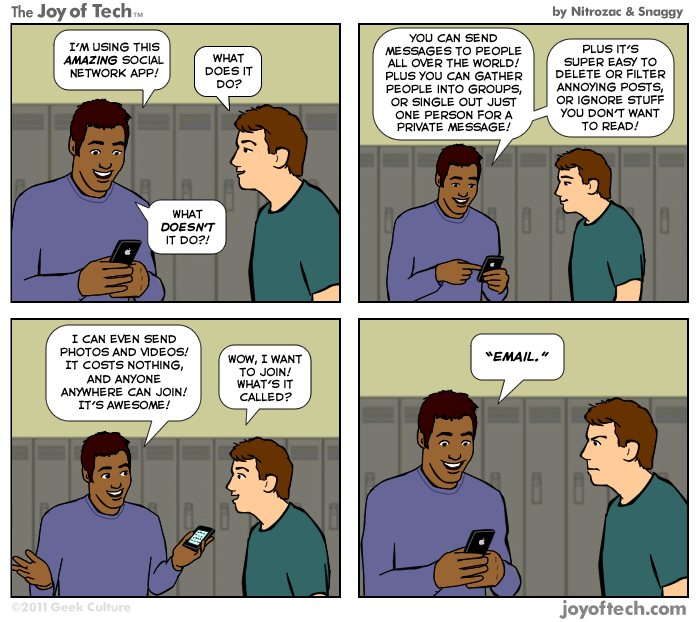
This may have been a missed opportunity for Facebook (probably would be considered a "distraction") but also speaks to the strength of email as a stand-alone platform.  Attempts to redefine or integrate email into something else is not an easy proposition.

http://www.geekculture.com/joyoftech/joyarchives/1612.html


Monday, October 06, 2014

None-Too-Small: Email Marketing for the Local Dry Cleaner

Anyone who relies on repeat business (especially the closer it gets to a commodity product or service) must regularly remind their customers that they still exist and are still the ones to do business with.

Like the old joke about the guy who says "Honey, I said I loved you on the day I married you and I said I'd let you know if that ever changes." -- it's not good enough. You have to keep telling them you love them.

The real problem with Email Marketing (or any real marketing), then, is that you have to be interesting. There are shortcuts to grab attention - you can be funny or loud (broadcast), you can appear intellectual, cultured or informed (especially in print), but if you're not interesting, it won't work in the long run. You can also relentlessly hammer home discounts, coupons or low prices, but it's a race to the bottom and today's low price isn't as impressive tomorrow.

So how can a commodity like dry cleaning use an email newsletter?

Dry Cleaners actually have some significant up-front costs - the machinery. Ongoing, there's rent, cleaning supplies, electricity, marketing. And staffing - either paying people to work there or collecting enough margin to put food on the table and send the young ones to college (if I may borrow from the stereotype of a bootstrapper seeking to make a better life for his family)

The Dry Cleaner needs regular, consistent repeat business and yet there's often not a lot to differentiate one from another at first glance, especially to someone who hasn't visited your shop before.

You are reliant on signs in your windows or signboards on the street, coupons in the mail. That might bring someone in once, but how do you keep them coming back? Also, is there a better way to get them in the door in the first place? Absolutely - the recommendation of an existing customer who's already excited about your service.

What might you promote?


  • Convenience - you drop it off, we clean it, you pick it up
  • Additional Offerings - other services they might not be aware (or have forgotten) we offer such as pick-up, delivery, late hours, rush service, loyalty programs, credit-card-on-file, etc.
  • Competency - tips and tricks on how readers can deal with simple spills and stains themselves with reminders about how we are with the big jobs
  • Competency - describe tough jobs and how you handle, like a leather jacket or wedding dress
  • Savings - the best customers get the best discounts - tie to customer loyalty to avoid giving away margin to bargain hunters that go wherever the cheap deals are
  • Benefits to the environment - the dry cleaning process vs regular cleaning, or better yet, if eco-friendly products are used, how they interact with the environment (but work just as well to clean)
  • Customer Testimonials - other people just like them who think you're awesome 
  • Lost and found hall of fame - interesting items that have been abandoned (always leave them with something fun - then with each newsletter, they know it's worth skimming to the end)
  • Reminder feature - a way for the customer to schedule a reminder email/sms reminding them to stick the dry cleaning in the car

When should you send?

Once a month is probably a good place to start. From all of the categories above you can probably find 2-3 items to write blog posts about and that's probably all you need in a mobile-friendly quick hit reminder to your customers that you're still out there doing an amazing job providing a service they need. A couple of options, depending on how fancy you want to get.

  • Sunday afternoon - reach people who have had events over the weekend that included formal wear that now needs some care and attention
  • The night before your slow day - drive business when you have the most free time to provide excellent customer service, when you're not feeling rushed
  • Timed with their pickup - if you're about to send but the subscriber has clothes being cleaned, hold the send until the clothes are ready for pickup - then your email serves double-duty as a transactional "your clothes are ready" and as informational - it'll be opened at a higher rate and give you another chance to reinforce that you are the Dry Cleaner with a difference.

Additional idea for Dry Cleaners:

If I were opening a Dry Cleaning shop, I'd start calling the HR Departments of local businesses, asking to speak to whoever was in charge of Employee Perks.  You might get people stammering and saying they didn't do much of that. Which is perfect because you have an offer for them - office pick-up and delivery of dry cleaning - you'll provide bags and order envelopes. Once a week you'll pick up all dry cleaning (the envelopes have a hole that fits over the hangers and a place to write instructions and they put their check for payment inside) from the office and the day after next you'll drop off the cleaned clothes.  There might be the minimal expense of providing a small clothes rack but you've now created a built-in steady supply of customers.

About Me:

I am a digital marketing and technology professional with 20-years experience. I started a small consultancy (BoostCE) as a hobby to help smaller businesses with their marketing needs because I just love this stuff. I'm also currently looking for a new full-time job in the Seattle/Tacoma area. If you're looking for some creative help with your marketing, whether you're looking to add someone like me to your team or if you'd just like some consulting help, please feel free to contact me. Please also check out my LinkedIn profile and pass it along if you know of someone who I could help.

Monday, September 22, 2014

None-Too-Small: Email Marketing for Nursing Homes

Welcome to my second in a series on places that should do email marketing but in most cases probably don't.

Today, nursing homes.  Let's start with the objections:

My customers are already here. And they're really not the email type.

The audience for email marketing for nursing homes aren't its residents. They are:

Audience #1: Children and Grandchildren of Residents

The decision to move a loved one into a nursing or assisted-living home often comes with guilt. But there are many reasons, some that need rationalizing and some that are obvious and legitimate, but the guilt will still persist. Email marketing for a facility will serve to build confidence that their loved ones are well-cared for and that they made the right decision selecting this particular facility.  It will also serve to give families additional things to talk about when they do come to visit or talk by phone or Skype.  Emails might cover fun events, guests or enrichment activities that residents participated in, birthdays, profiles of notable residents and profiles in excellence lifting up staff who have gone above and beyond. It also serves to educate readers about the different levels of care available and answer frequently asked questions that the staff otherwise spends a lot of time answering over and over again.

Each email gives the recipient a glimpse into "campus life" for their loved ones. And I suspect that will also result in more frequent visits and phone calls to the residents from their families.

Audience #2: The Facility Staff

As the newsletter communicates professionalism, care and dedication to its residents, making it required reading for staff means that they see what you're telling the patients' families and it serves to reinforce the mission, expectation and level of excellence expected from staff by the facility management and the families.

For some staff, it might need to be printed out and placed into their mailboxes if they aren't typically or regularly interacting with computers, but I would presume that most facilities these days do have a few computers available to its residents and staff could use those same computers to engage with the online version of the email if so inclined.

The more that's done to celebrate staff in the newsletter, the more they will want to engage with it as well.

My customers are all but locked-in already. Why expend the effort?

The email newsletter also serves as a marketing tool. An impressed reader will share the email with their friends and say "Look at the kind of stuff they're doing with dad!" That will cause others to consider that facility if they have need of residential care for a loved one and raise the bar on facilities in general.

Your customers have choices. 

Moving to a new facility isn't easy, but it's possible. Also, they, too, may someday be in the market themselves. An email marketing newsletter will serve to build confidence that this the right place for a family member's care or for their own care and evoke positive emotions about an industry that suffers from the very true and sad fact that some people will pass away while in their care.

By focusing on the positive aspects, you will create an atmosphere that celebrates life, brings families closer together and replaces pointless guilt with confidence and peace of mind.


I started BoostCE to help businesses use the power of Email Marketing and other Social Media channels to improve their engagement with their customers. If I can help you, please call, tweet or email me today.If you think you can stump me with an industry that you can't possibly see how Email Marketing would help, please leave it in the comments.

Friday, September 19, 2014

So I got an email from The White House...

I don't know if it's just me, but it would appear that The White House fired up their email marketing machine on Monday, Sept. 8.  I'll take a look at the stream I've gotten so far and make some observations.

In some ways, The White House is a unique brand. While it's well known in its own right, it's actually the temporal brand extension of a movement - our elected President, his leadership of our country, his global influence and his particular (political) objectives. Any media, whether it's a blog, press release, Facebook post, radio address, Tweet, etc., must be cognizant that its audience may be anyone in the world, even those who are opposed to the brand and its messsaging for any number of reasons.

Still, there are still plenty of take-aways here that can apply to any email marketing campaign.

Since Sept. 8, I've received at least seven emails from five different senders. Between the sender's name, the preheader or the odd predilection with the colon (what is that?), I can tell that these are all from the same organization when they arrive. (Is the colon on purpose? A quirk to signify that the subject is the start of the message? Or something else? Feel free to theorize in the comments. It feels unfinished but maybe that's just me.)

click to enlarge
It is rare that all of your emails will be lined up like this without other emails interspersed, but it's still a good exercise in examining your program for consistency.

Look at your campaigns and ask:

  • From: Is it clear to readers who the email is from? 
  • Subject Line: Does it pique the subscriber's interest. If there is no pre-header/preview text, is it enough on its own to give them a reason to open the email?
  • Pre-header/Preview Text: This is a great way to (a) expand on the subject, (b) give them additional information or (c) identify the ultimate call-to-action.

So here's one of the emails:

click to enlarge
This is clearly an informational email. The subject line clearly notes "Five things you need to know about ISIL:" (I liked that it acknowledged the other names ISIS and the Islamic State, the first ISIL mail from the White House that I received didn't and it stuck out to me as odd that they were choosing a term different from what I heard more often in the media.) 

It has a video for those who want to watch a video and text for those who want to read - all nicely punctuated by headers for those who want to skim. The White House is rendered stylistically as a graphic at the top, but without the logo you typically see.

The links near the top take you to a blog post which contains the same information as well as some additional information. Even though the goal here is informational, it was a miss not to have any links near the bottom. You never want to deliver someone to a dead-end.  It get to the bottom and my choices are "unsubscribe" or "privacy policy" or to send an email or call The White House. In most cases, this would be an appropriate place for a "recapture bar" - a few selected navigational items from your website to drive traffic to your website. At minimum, I think they should have had one more link to the website here.

No social media elements in this particular email and but that's understandable considering the topic.

Rendered well and was quite readable on my mobile device, but required 14 thumb-scrolls to get through all the content.

And then lastly, an argument for the use of Google+:


This appeared in the right nav of Gmail next to the email gives them additional branding (including the logo) and another opportunity to promote something else to readers.  The promotion here is a video which means it's going to go to YouTube and therefore also be highly accessible. (Many have skipped Google+, but it may be worth testing response rates to Google+ content at the time of an email send.)